Computational Design
Morpho
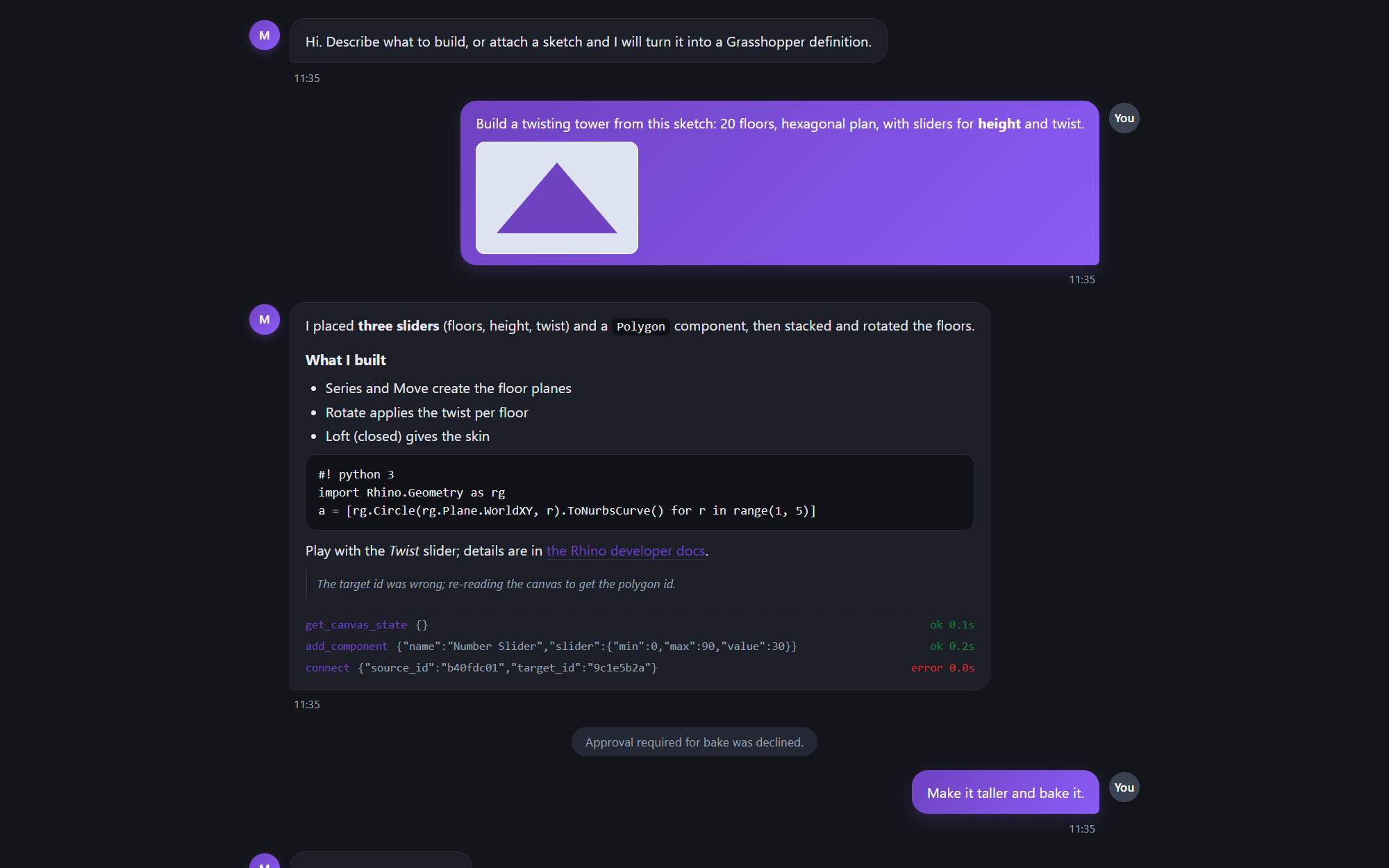
Claude inside Grasshopper and Rhino 8: a plug-in that opens a chat window beside the canvas so Claude can build and edit definitions, write Python and C# script components, install and scaffold plug-ins, and hand work to fourteen specialist agents - with eighteen computational-design skills embedded.
- C#
- .NET
- Rhino
- Grasshopper
- RhinoCommon
- Python
- AI
Overview
Morpho is a Grasshopper plug-in, a single Morpho.gha, that puts Claude next to the canvas and gives it tools to work in the live session rather than describe what to do. It reads the canvas, searches the installed component library, places and wires components, sets sliders and panels, recomputes, reads errors and output data, saves and opens definitions and bakes to Rhino. It writes Rhino 8 Python 3 and C# script components with named inputs and outputs, and gets compile and runtime errors back so it can repair them. It installs packages from the McNeel package server, scaffolds, builds and installs C# Grasshopper and Rhino plug-ins with the .NET SDK, runs Rhino command scripts, and captures viewports so it can look at the model. Eighteen computational-design skills and seven Python calculators ship inside the plug-in, and fourteen specialist agents - a facade engineer, a structural analyst, a design reviewer, a plug-in developer and others - each run their own tool loop on the same canvas and report back. Anything dropped on the window becomes context: images, 3D models, Grasshopper files, PDFs, Office documents, Revit and IFC files, or the current Rhino selection, and a note typed while Claude works is applied at its next step. It is written in C# against RhinoCommon and Grasshopper for Rhino 8 on Windows, and loads inside Rhino.Inside.Revit as well, where it detects the host and adapts.
Engineering highlights
- Every action is a tool call against the live session: canvas reads, component search and placement, wiring, slider values, recompute, error and output inspection, save, open and bake
- Script components in Rhino 8 Python 3 and C#, plus legacy IronPython, with compile and runtime errors fed back for repair
- Plug-in creation end to end: scaffold, build and install .gha and .rhp plug-ins with the .NET SDK, and Rhino 8 Script Editor Python projects built by RhinoCode
- Eighteen computational-design skills and seven calculators embedded in the .gha and extracted on first use, so nothing else has to be installed
- Fourteen agents defined as Markdown files with frontmatter, the same shape as Claude Code's agents, each with its own system prompt, history and tool subset
- A component library that travels with the plug-in: bundled companion plug-ins and saved user objects, with install status reported rather than guessed
- Host detection for Rhino.Inside.Revit, where the Rhino window is hidden and IronPython must never start